Account Deletion
You can delete your MyResHub account directly within the mobile application.
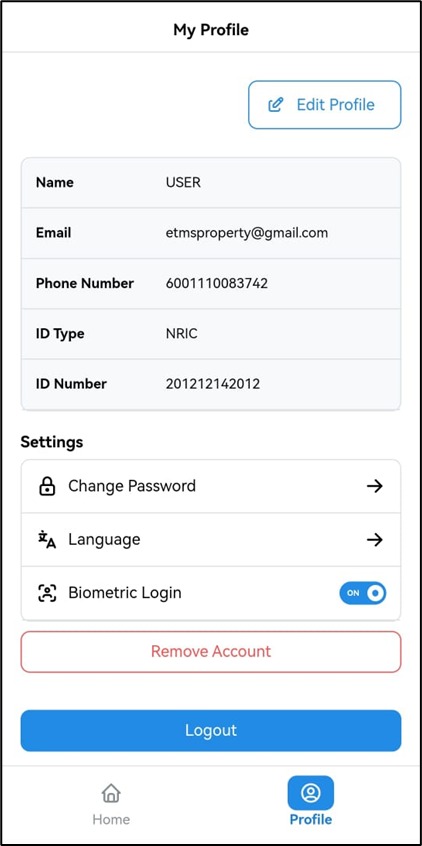
Steps to delete your account
- Open the MyResHub mobile application.
- Go to Profile.
- Tap Remove Account.
- Confirm the deletion request.
Screenshot
Once confirmed, your account and associated personal data will be permanently deleted.